



How to Introduce IceAlert® to Your Employees (Free Downloads)
Implementing a new safety system is one thing. Making sure employees understand it is another.
The good news is that introducing IceAlert® to your team does not require formal training sessions or complicated rollout plans. Because IceAlert is a simple, visual indicator of freezing conditions, the introduction process can be clear, fast, and consistent across locations.
Here’s how to do it effectively.
Step 1: Send a Clear, Consistent Introduction
Before winter conditions arrive, employees should understand three basic points:
- IceAlert changes color when freezing conditions are present.
- When IceAlert indicates freezing risk, cold-weather safety procedures should begin.
- IceAlert is a trigger for action, not a replacement for existing protocols.
To make this easy, IceAlert provides a pre-written employee email that safety managers can send internally. The message explains what IceAlert is, how it works, and what employees should do when conditions change. This ensures consistent communication across departments and shifts.
Step 2: Reinforce Awareness in Breakrooms and Bulletin Boards
Employees retain information better when they see it more than once.
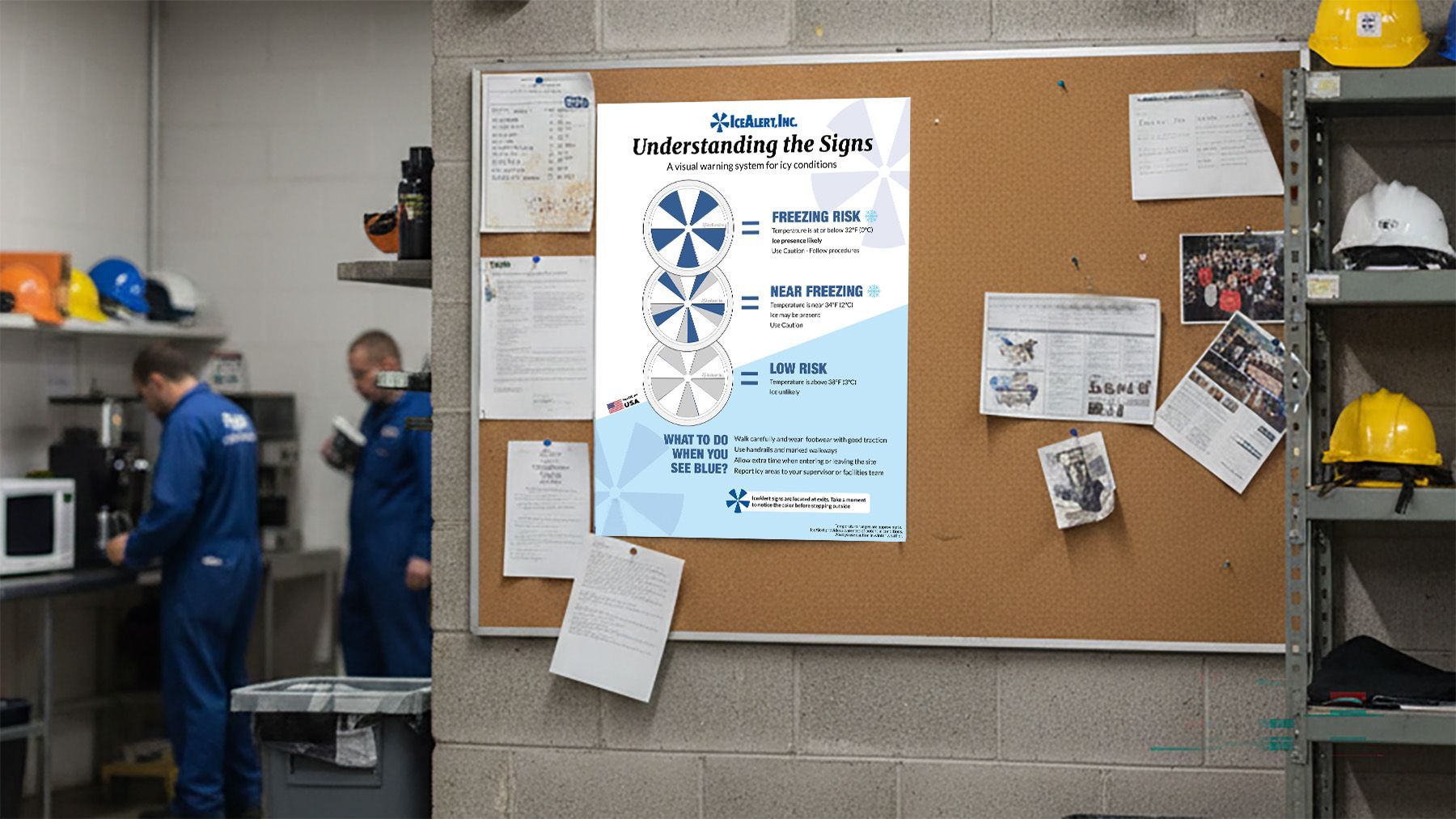
Posting the IceAlert employee poster in breakrooms or on safety bulletin boards reinforces:
- What the color change means
- Why freeze–thaw conditions can create unexpected hazards
- The importance of staying aware during winter months
Because breakrooms and bulletin boards are common gathering areas, this placement helps keep IceAlert top-of-mind throughout the season without interrupting operations.
Step 3: Provide a Simple Reference Guide
For organizations with multiple shifts or locations, having a short written reference is helpful.
IceAlert provides a downloadable “What You Need to Know” PDF that safety managers can:
- Attach to the introductory email
- Post on internal safety portals
- Include in seasonal safety refresh materials
This one-page guide summarizes how IceAlert works and how it fits into your winter safety signage and cold-weather response procedures.
Step 4: Align With Your Winter Safety Procedures
The final step is ensuring IceAlert is clearly referenced in your cold-weather safety plan.
When employees understand that:
- IceAlert signals freezing risk
- IceAlert triggers predefined response actions
- IceAlert supports your existing winter safety signage
It becomes part of the routine rather than an extra task. Consistency across locations reduces confusion and strengthens liability protection if an incident occurs.
Make Implementation Simple
Introducing IceAlert does not need to be complicated.
Downloads below:
- A pre-written employee email
- A breakroom or bulletin board poster
- A short “What You Need to Know” PDF
Safety managers can introduce IceAlert quickly and confidently across their organization.
Clear communication at the start of the season ensures that when freezing conditions appear, employees already know what to look for — and what to do.